How to Make a Cross Stitch Pattern From Any Photo
A complete guide to making a cross stitch pattern with realistic floss limits, Aida sizing and confetti control.
2 September 2026 · 7 min readGuides & notes · Technique
Isolated single stitches are the biggest time sink in photo charts. Here is where they come from and how the smoothing slider removes them.
28 August 2026 · 5 min read
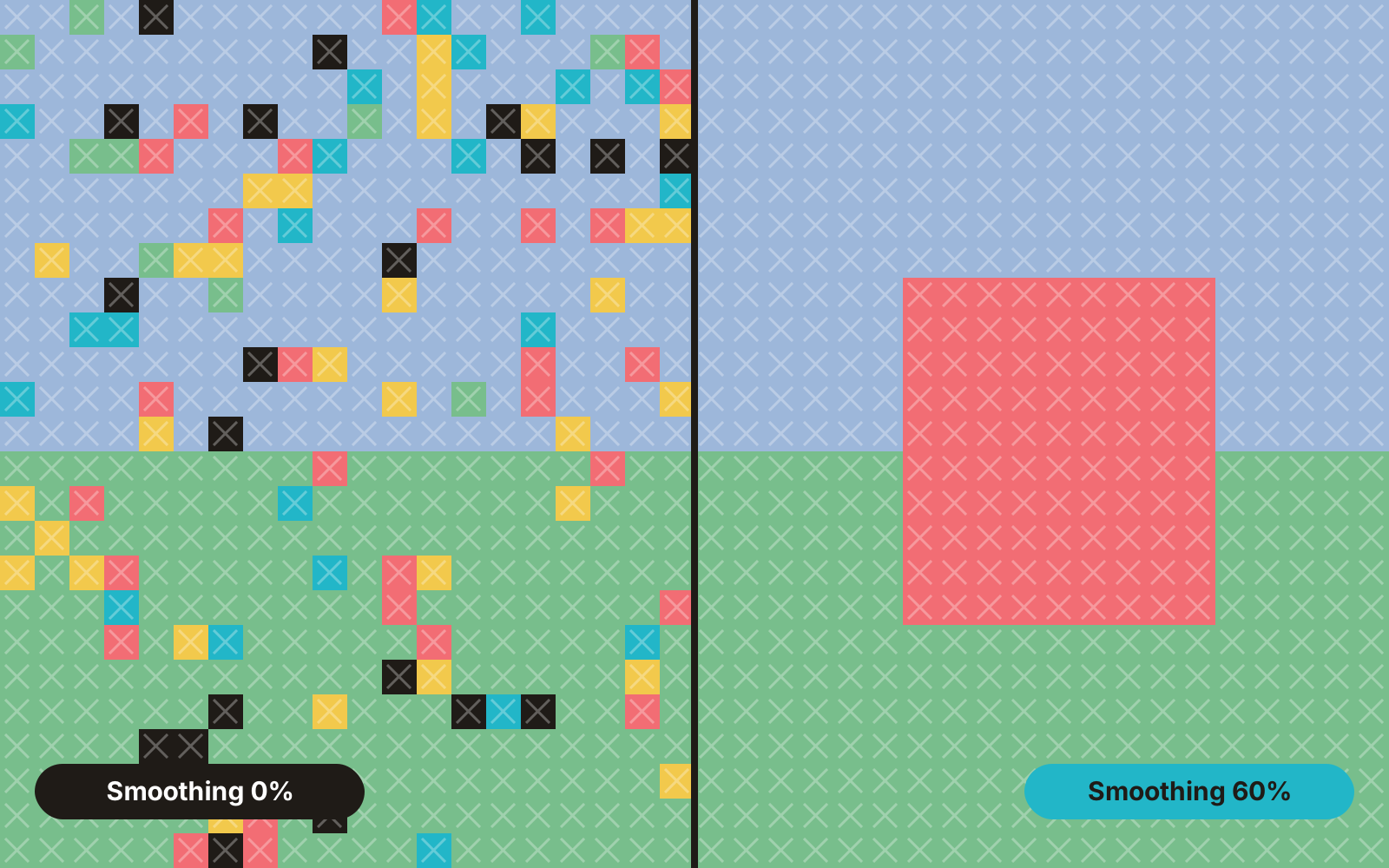
A confetti stitch is a single stitch of one colour surrounded entirely by other colours. One is fine. Two hundred scattered through a sky will double your stitching time, because each one means parking a thread, threading a needle, making one cross and parking again.
Photos are full of noise: sensor grain, JPEG artefacts, tiny highlights, texture in fur and fabric. When a converter maps each pixel independently to the nearest floss, that noise becomes lonely stitches. The more colours you allow, the more places noise has to land.
Push the slider up until the confetti count is under about one per hundred stitches, then look at the preview. If eyes or whiskers have gone soft, back off slightly — those details are worth a few lonely stitches. Everything else is not.
Smoothing never touches areas of two or more adjacent stitches of the same colour, so edges and features survive. It only removes what would have been a needle change for one cross.
Ready to try it? The pattern maker is free and runs in your browser.
Open the maker
A complete guide to making a cross stitch pattern with realistic floss limits, Aida sizing and confetti control.
2 September 2026 · 7 min read
Why capping your palette to 25–35 colours produces cleaner embroidery with fewer thread changes.
1 September 2026 · 5 min read
Calculate exact cut sizes across 11, 14, 16 and 18-count Aida with the built-in fabric calculator.
30 August 2026 · 4 min read