How to Make a Cross Stitch Pattern From Any Photo
A complete guide to making a cross stitch pattern with realistic floss limits, Aida sizing and confetti control.
2 September 2026 · 7 min readGuides & notes · Floss Guide
Why capping your palette to 25–35 colours produces cleaner embroidery with fewer thread changes.
1 September 2026 · 5 min read
The most common beginner mistake is letting a converter use as many colours as it likes. Sixty colours feels more "accurate" on screen and is miserable in the hoop: constant thread changes, a hundred single stitches of a shade you use nowhere else, and a shopping list that costs more than the frame.
Each colour in a chart costs you three things: a skein to buy (and store), a needle change every time it appears, and a symbol you have to distinguish from all the others on the page. Symbol legibility collapses past about 40 colours — you start confusing ▲ with △ at the end of a long evening.
| Project | Colours |
|---|---|
| Small motif, text-to-pattern design | 6–14 |
| Pet or object, plain background | 18–28 |
| Face or portrait | 25–35 |
| Landscape with sky | 28–40 (or AI redraw first) |
The converter first clusters the photo's colours into your chosen number of groups, weighting by how much area each group covers, then matches each group to the nearest floss shade using Delta-E in CIELAB. Two things follow: large areas always get a colour, and tiny highlights are absorbed into their neighbours instead of claiming a skein of their own.
If you already have a floss box, use the palette filter to limit output to those codes. The chart may lose a little fidelity, and you save a shopping trip. For most projects the difference is invisible at arm's length.
The exported key lists stitch counts and estimated skeins per colour, assuming full crosses on 14-count with two strands. Round up, and add one extra of any colour over 1,500 stitches — dye lots vary, and running out mid-sky is the worst way to learn that.
Ready to try it? The pattern maker is free and runs in your browser.
Open the maker
A complete guide to making a cross stitch pattern with realistic floss limits, Aida sizing and confetti control.
2 September 2026 · 7 min read
Calculate exact cut sizes across 11, 14, 16 and 18-count Aida with the built-in fabric calculator.
30 August 2026 · 4 min read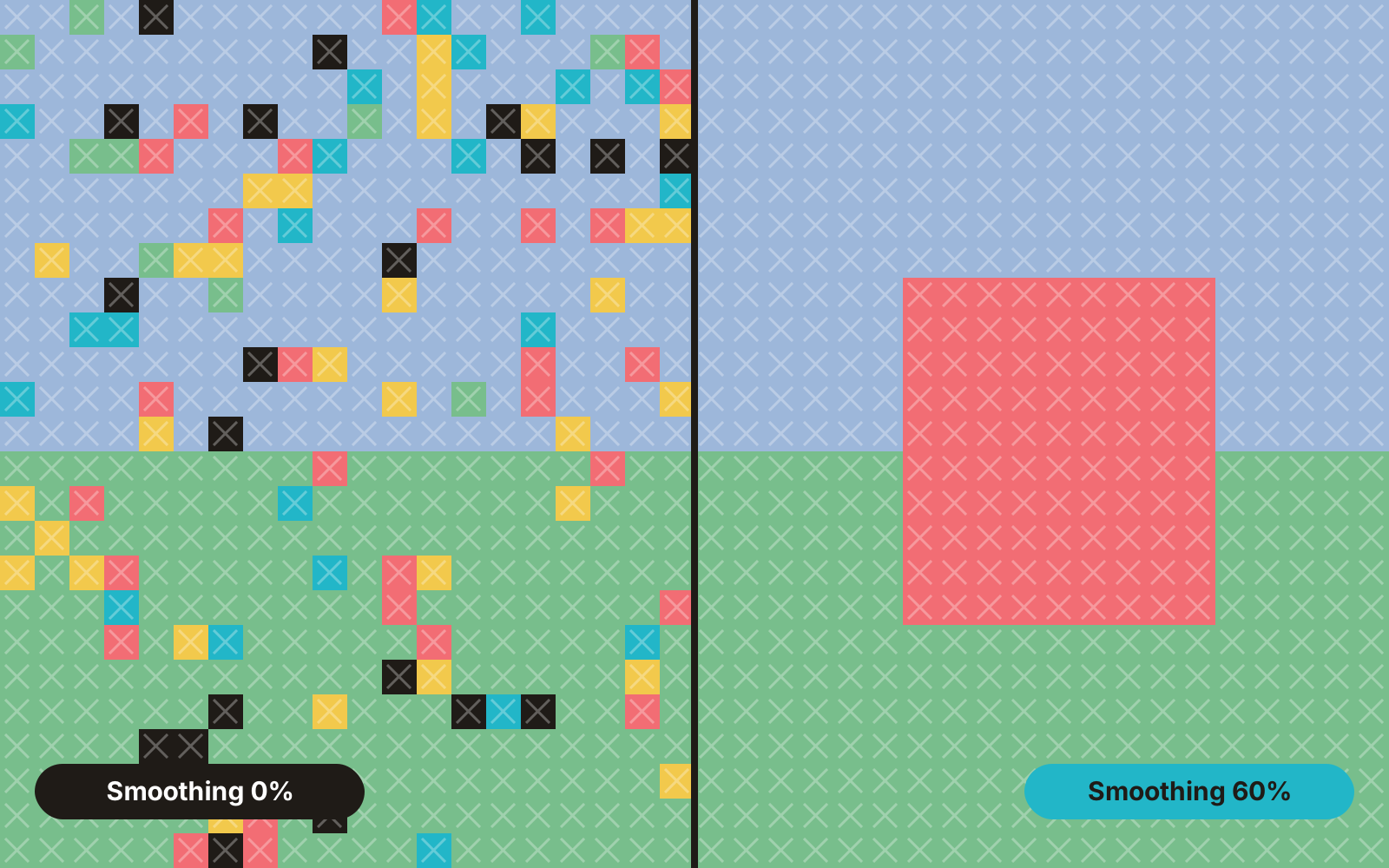
Isolated single stitches are the biggest time sink in photo charts. Here is where they come from and how the smoothing slider removes them.
28 August 2026 · 5 min read